A few months ago I noted, in my 2023 Wrapup Video, that one of my goals for 2024 was to try my hand at focus stacking. Not handheld impromptu focus stacking, but real actual focus stacking in a controlled environment with precise movements. The kind that you have to plan out and take care to pull off in order to get a very specific kind of shot. I don’t know if this image is the greatest example of focus stacking, but speaking personally, it is the best focus-stacked shot I have ever taken. Do I have room to improve? Of course. Did I learn a lot? Absolutely. And that, by itself, makes this a photo worth taking.
What you’re looking at here is a close-up of a cutting my wife took from her pothos plant, with the goal of getting it to the point where it’s healthy enough to be potted so it can grow on its own. I saw it sitting on the windowsill while I was washing dishes and, after noticing all the tiny bubbles on the green stalks, decided to turn it into a close-up photo opportunity. I moved it to another windowsill where I could set up my camera gear, got out a tripod, my Nikon D750, and 105mm f/2.8 macro lens, and set to work. I quickly realized that the tolerances I was dealing with were so crazy small that I would need to up my game a little. A single shot wouldn’t work; I needed to do some stacking.
To wit: Each of the green stalks is about a quarter inch in diameter. That means each bubble is about…oh, I dunno. 1/32 or 1/64 inch in diameter. Super duper small, in other words. My camera was so close that when I shot this at f/11, the depth of field was about the same: 1/32 or 1/64 inch. One solution, then, would be to (naturally, of course) shoot at a much smaller aperture in order to get more bubbles in focus. But that had the unfortunate side effect of putting too much else in focus too:
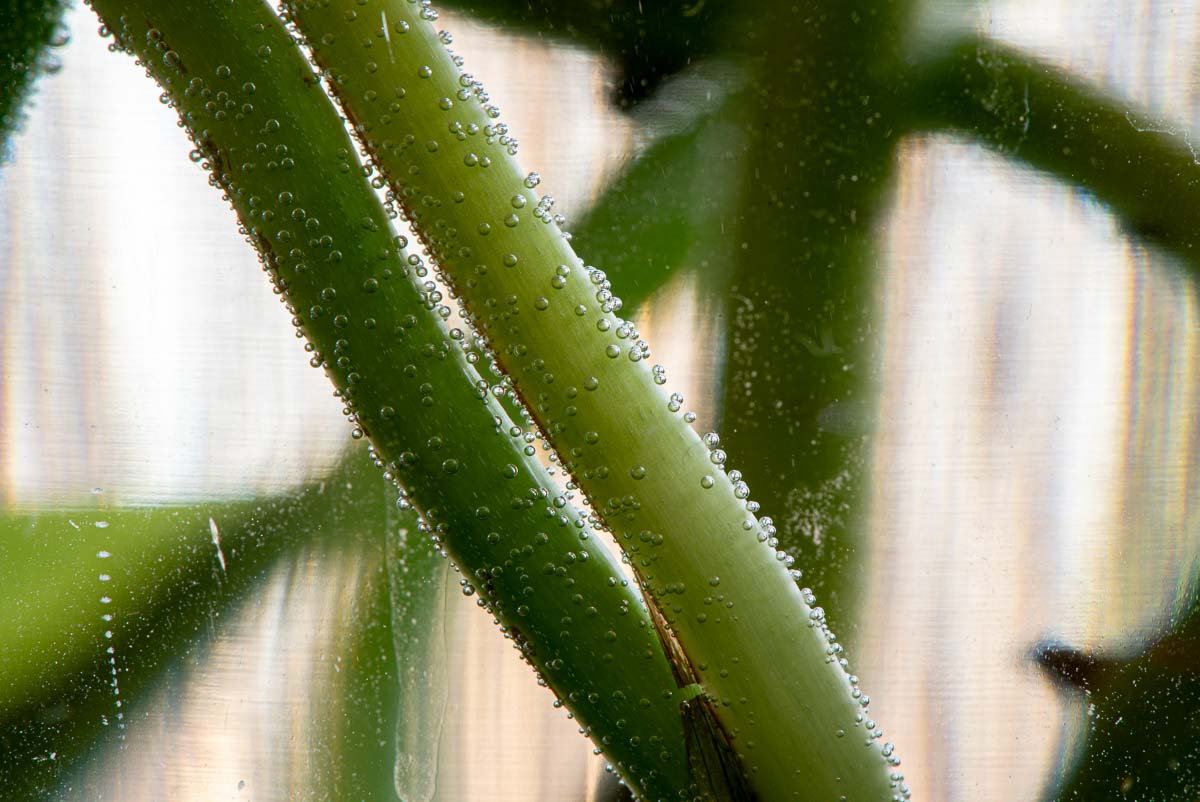
This image was fine, I guess, but I really liked how shooting at wider apertures obscured so much else in the frame. But wider apertures meant that not enough of what I wanted to be in focus was actually in focus. You have to choose one or the other…except when you can have both. Enter focus stacking.
To get the final image I took a series of exposures at f/8, carefully adjusting the focus on each one to move from the close side of the stalk to the far side. Then I loaded the series in Photoshop and had it merge the in-focus parts of each of the layers into a single image, which I then loaded back into Lightroom for some final coloring adjustments. Just so we’re clear: this is not cropped. My camera lens was just really close to the subject.
I really like how this turned out, and I can certainly see the practicality of focus stacking in a controlled environment. It was fun to take this, enjoyable to edit, and most importantly, my wife liked it too :)